Beauty
A Small Makeup Edit: Choose by Routine, Not by Product Count
A useful makeup edit starts with the steps you repeat, not a target number of products. Map the routine first, then compare only the product roles it needs.
· SABREENA
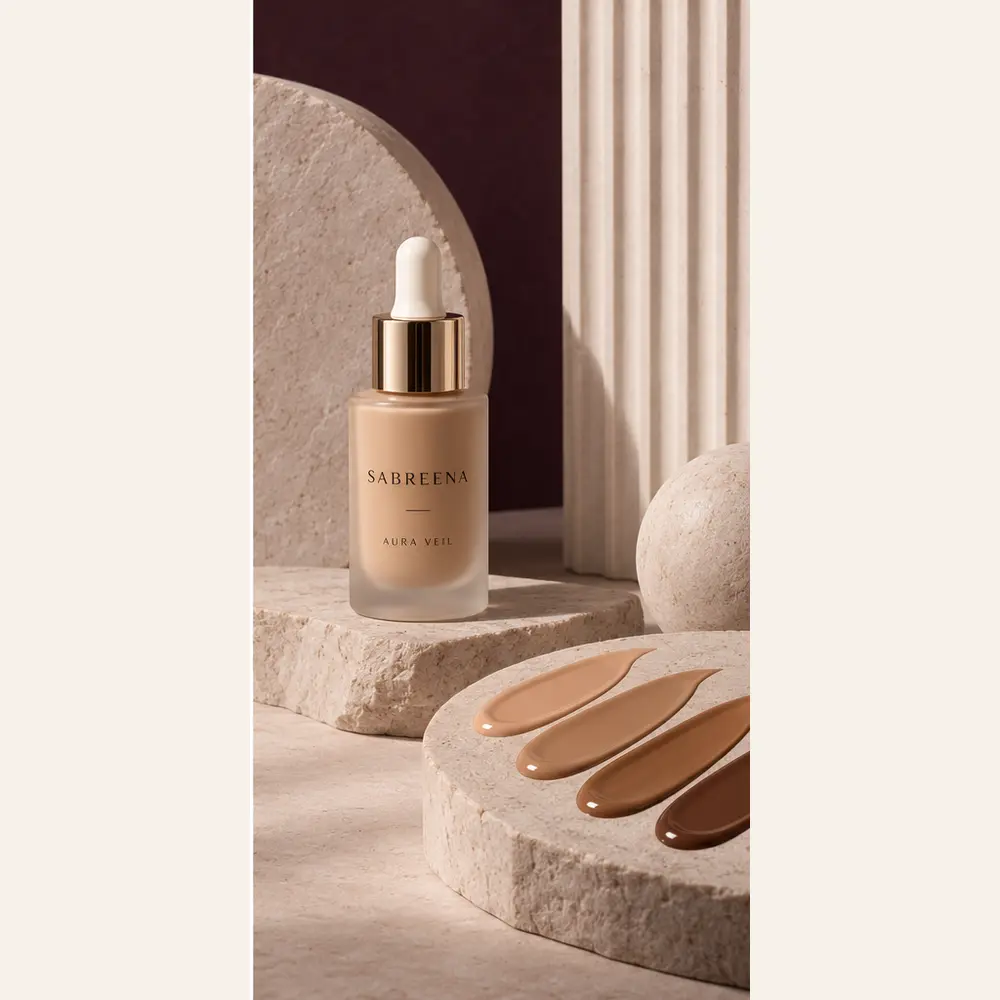
Build a small makeup edit around the steps you actually repeat. Start with one product role for each useful step, leave out the steps you normally skip and confirm the exact shade or option before ordering.
A smaller edit is not automatically better, and a larger one is not automatically more complete. The useful measure is whether every selected item has a clear place in your routine.
Write the routine before the product list
Describe the routine in actions rather than product names. This keeps a familiar category from becoming an automatic purchase.
- Keep: steps you already use or have deliberately decided to add.
- Compare: steps where the exact colour or option still needs a decision.
- Leave out: products with no clear role in the routine you described.
Use this three-route choice map
Choose the closest route, then edit it. The table is a decision aid, not a recommendation to buy every listed category.
| Routine route | Product role to consider | Current SABREENA starting point | Confirm before ordering |
|---|---|---|---|
| One visible colour decision | Lip colour | SATIN SIGNAL Lip Veil | Exact named option and current product information |
| Base plus one face-colour step | Skin tint and blush | AURA VEIL Skin Tint and SOFT FOCUS Blush | Each exact option, size and approved product details |
| Three-role edit | Skin tint, blush and lip colour | AURA VEIL, SOFT FOCUS and SATIN SIGNAL | Whether every item has a real step in your routine |
Check the current options, not an assumed result
AURA VEIL Skin Tint currently lists Porcelain Sand, Warm Beige, Honey Amber and Deep Umber. SOFT FOCUS Blush lists Rose Muse and Apricot Silk. SATIN SIGNAL Lip Veil lists Rose Current, Amber Hush and Fig Afterglow.
These are the current option names. Screen appearance and editorial images do not guarantee how a colour will look in person, and final formula or ingredient information follows the approved product details.
Run the keep-or-remove check
Read each selected product back as a sentence: ‘This is in my edit because I use it for…’ Keep the item when the sentence is specific. Save it to your wishlist or remove it from the shortlist when the role is unclear.
Before ordering, confirm the product name, exact option, quantity, current total and the delivery information shown for the destination. Repeat the check for every item rather than treating the edit as one automatic set.
- One clear routine role
- One exact option selected
- No duplicated purpose without a reason
- Current order and delivery information reviewed